
AI Chat Bidirectional Translation
Understand messages in different languages during conversations and compose replies in the language you're familiar with, keeping communication seamless.

Traneasy Easy Translator
A communication workspace for cross-border teams, combining instant translation, customer organization and multi-account collaboration to make communication and follow-up easier
Supports WhatsApp, Telegram and other major platforms














Understand messages in different languages during conversations and compose replies in the language you're familiar with, keeping communication seamless.

Arrange apps and accounts in a unified interface, combining environment settings and permission assignments to make team collaboration more organized.

Use customer tags, communication records, and quick replies to organize daily follow-ups so important leads remain clear and traceable.
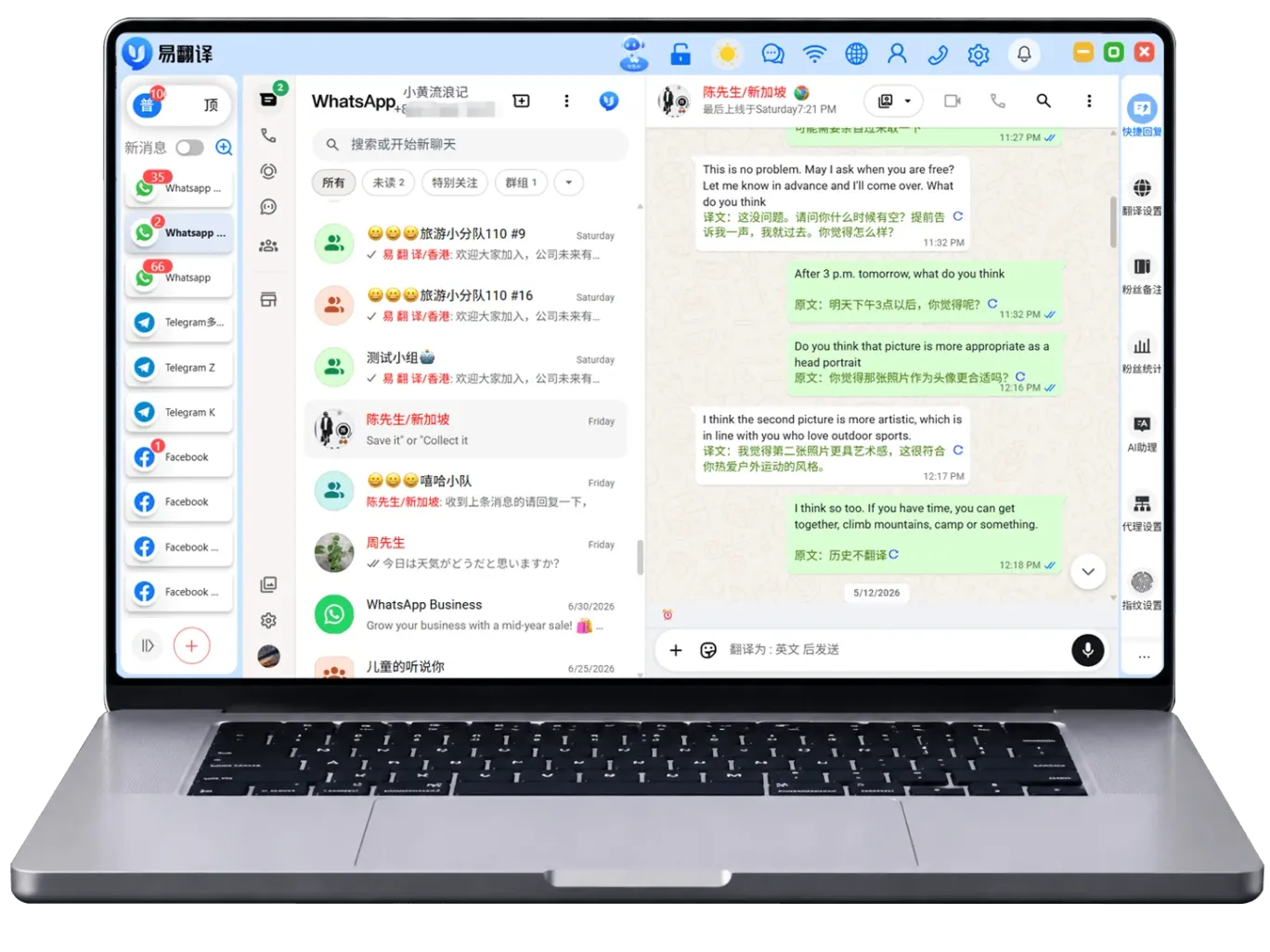
Understand incoming foreign-language messages, then compose replies in a familiar language, keeping translation and communication in one continuous workflow.
Combine tags and message content to organize contacts, and clearly arrange follow-ups and frequently used information.
Organize common expressions and explanatory content for quick access when needed, making everyday replies easier.
Use language assistance according to the content types supported by the app to clearly understand text and communication materials.
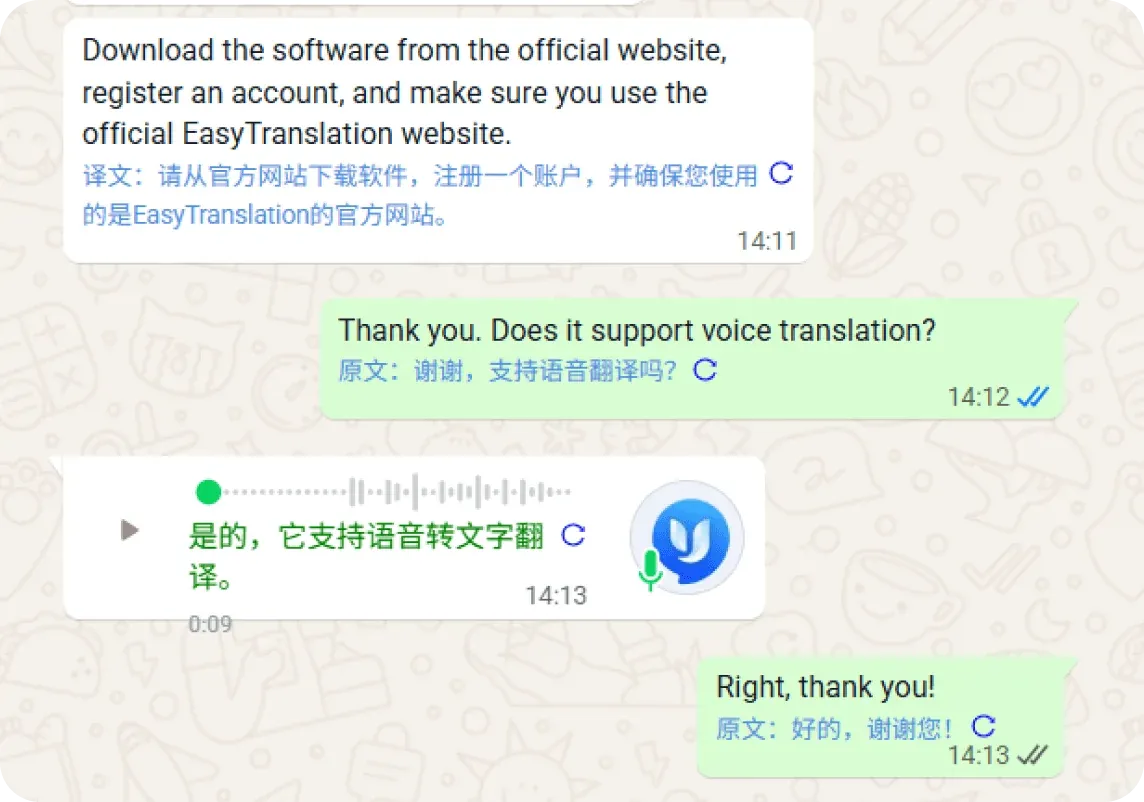
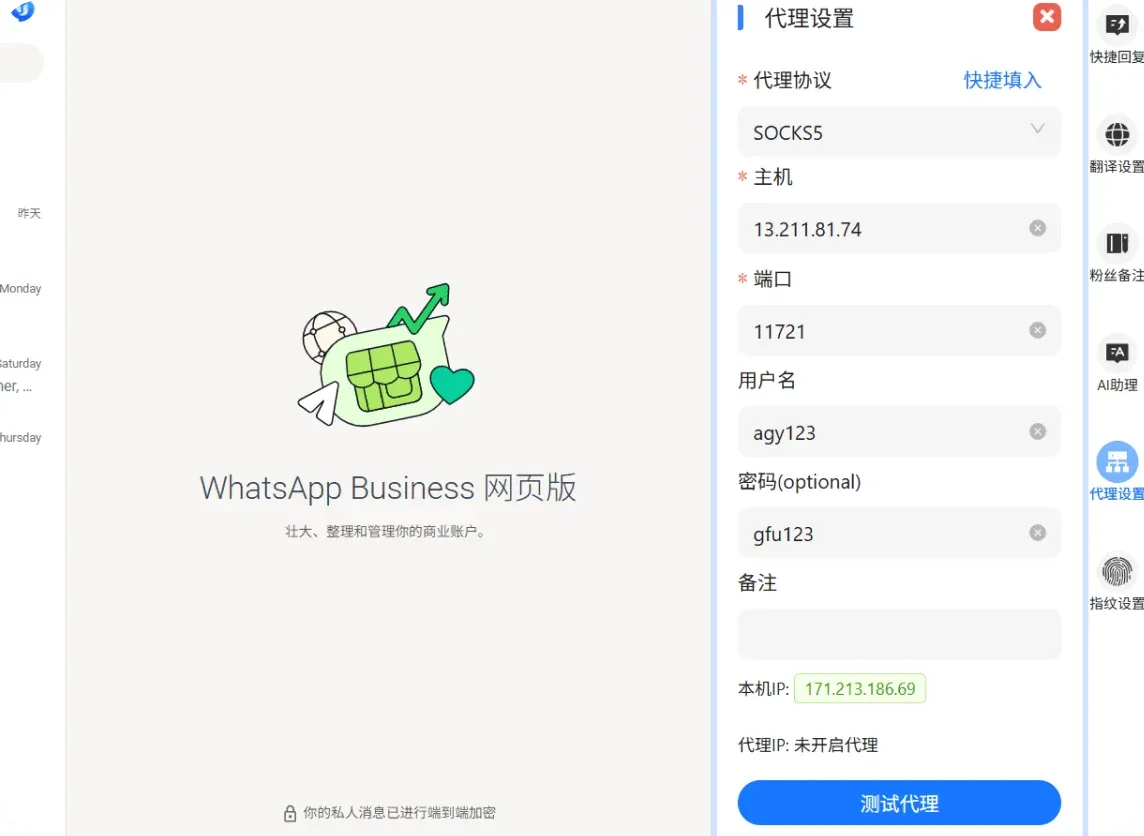
Organize accounts and environments for different work scenarios, and set access scope as needed to facilitate team division of work.
Configure connections according to the network setup instructions in the app to keep the work environment and account arrangement clear and consistent.
View multiple work entry points in a familiar interface, reducing repeated searching and device switching.
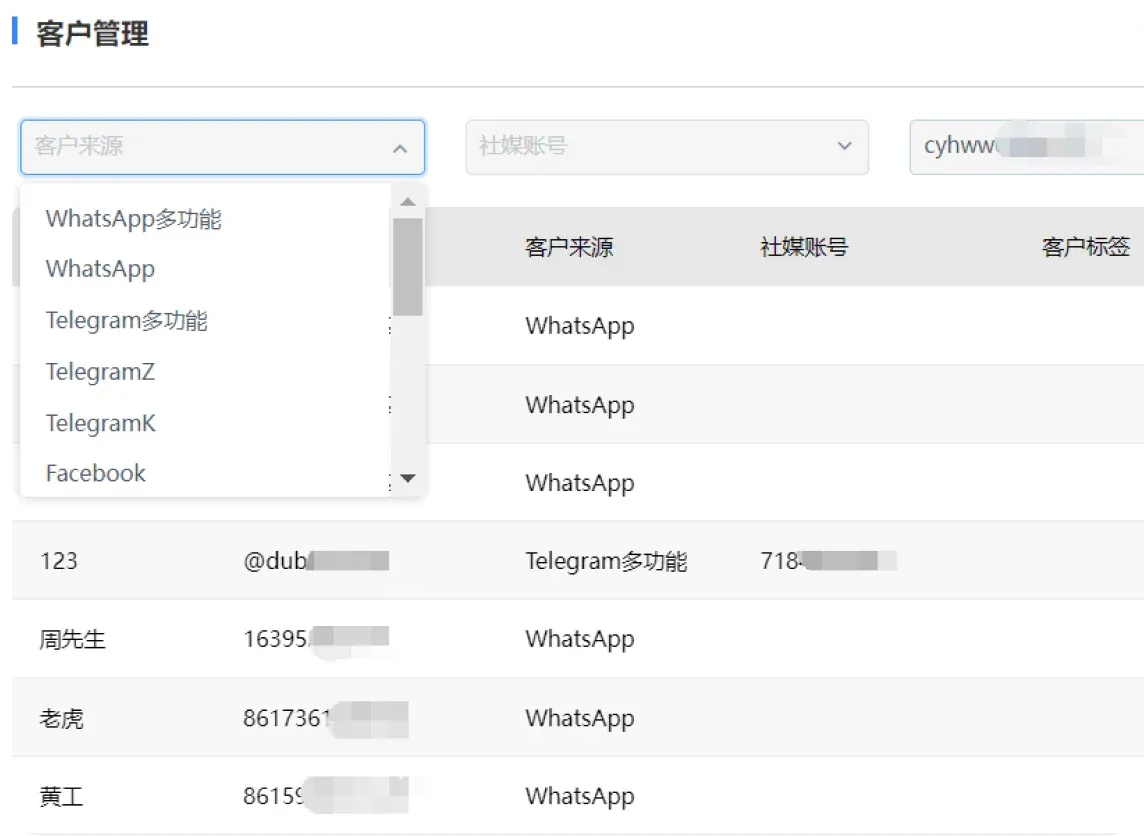
Arrange tags based on region, needs, and communication stage to easily distinguish different types of contacts.
Find customers through notes and tags, quickly return to relevant conversations, and continue where you left off.
Organize customer sources and communication records by channel, preparing clear background information for the next step.
Review existing customer information and work records, and adjust daily arrangements and collaboration steps as needed.
From instant translation to customer organization, connect familiar workflows for your team.
Understand messages in different languages and organize replies clearly using common expressions.
Categorize contacts and communication records so follow-up communication has a solid basis.
Connect accounts, environments, and permission settings to facilitate daily task division and handover.
Keep conversations and quick replies together in your workspace to reduce repetitive steps.
Choose a download option based on your computer's operating system. Windows and macOS use different installation files. After downloading, follow the system prompts to continue.
Open the client and complete the initial setup by following the in-app prompts, then get familiar with the conversation list, app entry points, and language assistance features.
Start with contact notes, tags, and quick replies, then arrange categories according to your own workflow for easier daily viewing and follow-up.
Traneasy is designed for everyday office work, study, and cross-language communication, offering a simple and intuitive translation experience. No complex setup required—just open and use it to maintain smooth expression across multiple devices.
Access from desktop and mobile devices. Translation history and frequently used expressions can be viewed anytime, with no interruption when switching devices.
Translated text and original text are displayed in separate sections, making key information easy to see at a glance and ideal for quick comparison and continuous reading.
Pages respond quickly and run reliably in common network environments such as office, travel, or study settings.
After logging in with the same account, you can continue viewing recent translation content on desktop and mobile. It is recommended to stay connected to the internet to sync the latest records.
Can be used to grasp the main idea and assist with reading. For formal documents, manual review by a professional is recommended to ensure terminology and tone meet requirements.